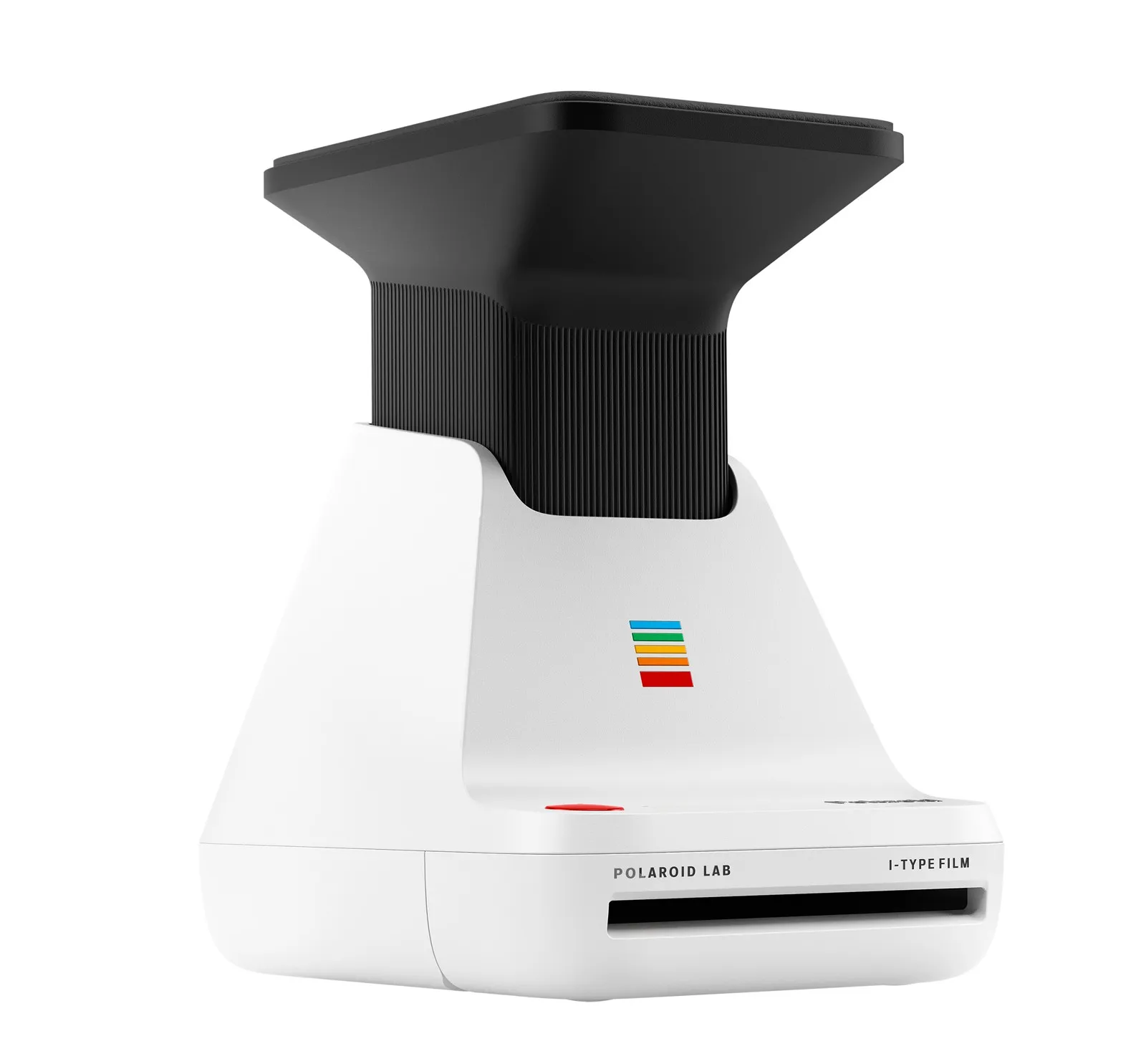
Polaroid Lab exposes instant film to light from a phone screen. Lenses and chemical development turn an existing digital photo into a print to hold.
Article
Selecting a photo on a phone usually leads to a send button. Polaroid Lab instead makes an instant photograph by exposing film to light from the phone's screen. Rather than transferring an image file, the phone is placed face down on the device. An already captured image becomes the subject in front of a lens once more.
An optical system of three lenses projects the screen image onto instant film, while the app controls exposure time. This is why the manufacturer distinguishes it from an ordinary printer. Light records the phone's image on film rather than ink reproducing its pixels on paper.
The process continues as the exposed film emerges. Rollers rupture a pod of processing chemicals along the edge and spread them evenly. The photograph then develops within the film itself. What looks like a sheet of paper contains the components needed to capture and develop an image.
The result is not guaranteed to match the phone display exactly. The screen is both the image source and the light source, so its condition and settings affect exposure. App and device compatibility also need checking. Official support information lists exceptions; not every smartphone can simply be placed on the Lab and used.
Film remains a recurring cost alongside the device. Among digital images that can be copied endlessly, users choose which to turn into a physical instant photograph. This does not remove or transfer the original from the phone. It produces a copy that can be displayed or handed to someone else.
An instant camera captures the scene in front of it at the moment of shooting. The Lab allows a past moment to be selected again from a photo library. The choice of which image becomes an instant print can be made later. Turning a screen face down connects a stored photograph to one that can be held.
Sources and editorial notes
Polaroid Support · How it works
Polaroid Support · Compatibility information updated in 2026
Polaroid/Nital Official Product Materials/Image Source
Editorial note: Facts were checked against the sources above; interpretations reflect MUADAILY’s editorial perspective. Image: Polaroid / Nital official product material.
Machine-translated from Korean. Read the original.