Moving pins turn images and graphs into tactile information. Dot Pad X’s main graphic area and separate Braille line serve different purposes.
Article
Reading a document aloud can convey its sentences. Explaining where a line graph rises or a road turns on a map takes more description. Dot Inc.'s tactile display, Dot Pad X, moves small pins so users can explore that visual information with their fingertips. They can move between locations and compare shapes on the surface.
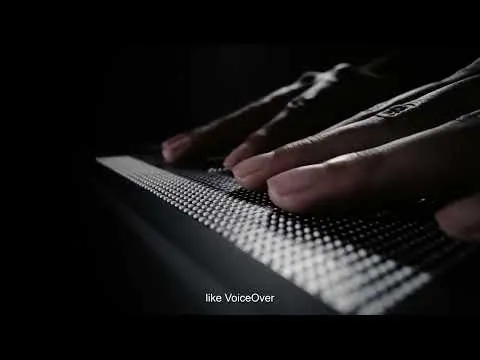
The main area has 300 cells for tactile graphics and multiple lines of Braille, alongside a separate 20-cell Braille area. A user can explore the layout of a shape or map and read text in the accompanying area. The device adapts content into distinguishable tactile information rather than simply making a three-dimensional copy of a photograph.
The pins rise and fall electronically to change the display. Loading another image changes the shape beneath the hand. Unlike a permanent embossed diagram or Braille page, the same surface can be reused for the next shape in a lesson or another part of a document.
Dot Canvas and developer tools support content creation. The official guidance describes importing images, documents, and text or drawing directly to produce tactile graphics. Visual information can combine color, small lettering, and intricate patterns, so a creator still needs to decide what to represent as lines and dots. Displaying content does not automatically make it easy to understand.
The device also connects to smartphones and computers. Available features depend on the operating system, screen reader, and app, and the manufacturer provides compatibility lists and resources. The original Dot Pad and Dot Pad X have separate performance and software guidance; their features should not be combined merely because their names are similar.
The significant moment is not only when the pins move together. It is also when a user returns to compare the spacing between two lines or moves back to the text. A changing surface allows someone to explore a diagram repeatedly with their own hands, instead of relying only on another person's description.
Related Video: Dot Pad X Promotional Video
Produced by: Dot Inc.
https://www.youtube.com/watch?v=AIa1qePwog8
Image description: Dot Pad X introduction video preview · Dot Inc.
Image source: https://www.youtube.com/watch?v=AIa1qePwog8
Sources and editorial notes
Dot Inc. · Dot Pad X Promotional Video
Editorial note: Factual statements are based on the sources above; interpretations reflect MUADAILY's editorial perspective. Image: Dot Pad X introduction video preview · Dot Inc..
Machine-translated from Korean. Read the original.