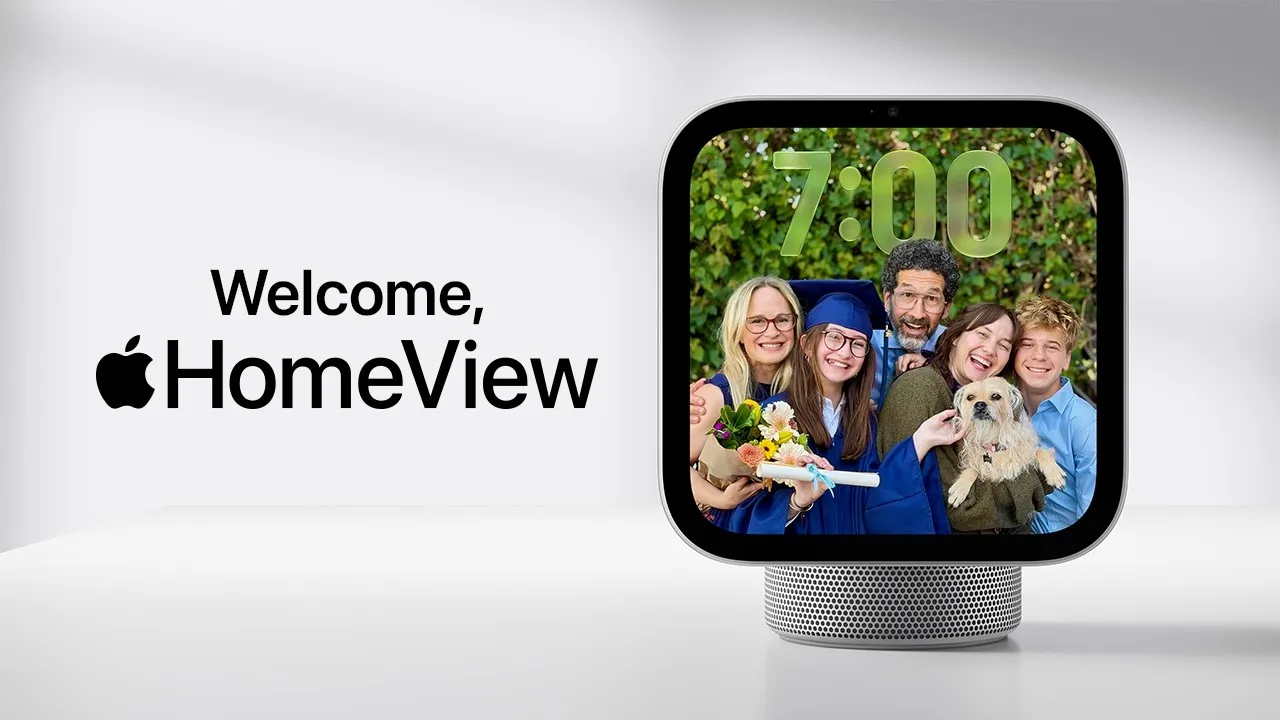
Checking a recipe, listening to music and calling family: a look at the household tasks Apple HomeView is designed to handle.
Article
To check a recipe while cooking, you first have to wipe your hands, pick up the phone, wake the screen and find your place again. As you set the timer and change the music, you alternate between cooking and operating the screen. Apple's newly announced HomeView is a smart home device designed to be placed in a corner of the kitchen at such moments.
There is a round speaker stand attached below the 7-inch screen. You can adjust the angle of the screen and place it on a kitchen counter or nightstand, and a separate wall-mounted version is also available. Listen to music, make video calls, and check the lighting and front-door camera. The list of features is familiar, but what catches the eye is the way multiple tasks can be carried out on one screen.
Make cooking and video calls more comfortable
HomeView allows you to convert recipes found in Safari into an easy-to-view format according to the cooking stage. Talk to Siri to start or stop timers and check the progress of multiple timers. This means that the screen for reading cooking instructions and the tool for measuring time are placed in the same place.
Music and video can move between devices too. You can transfer content that was playing on your iPhone to HomeView using Handoff. You can continue to listen to the music you used to listen to outside at home, or transfer recipes found on your phone to the kitchen screen. By connecting other compatible speakers, you can also play music in various spaces in your home.
There is no need to hold the device in your hand for video calls. Center Stage keeps moving callers in frame. Intercom sends voice messages to HomeView or HomePod devices in other rooms. You can think of it as a use for talking on the phone with your family while cooking, or for calling people in other rooms to dinner.
The fact that it is a device kept inside the home is also reflected in the behavior of the screen. When you are far away, it shows simple information that is easy to understand, and when you get closer, it displays more detailed information. When not in use, it can be used as a photo frame or display a Snoopy animation. Rather than a screen that turns on only when something is pressed, it is closer to an object that is constantly visible, like a clock or picture frame.
When another person stands in front of the same screen
Appliances placed in the kitchen or living room are shared by the family. The question then becomes whose schedule and message will be shown. HomeView recognizes the faces of up to six people and displays their respective home screens and widgets. Photos and music can be shared, while personal content stays separate for each user.
Facial recognition is not the only condition for unlocking personal information. According to Apple's description, personal content such as messages and calendars will be displayed when a registered user is recognized by face and a connected iPhone or iPad is nearby and recently unlocked. These conditions balance convenience with the risk of exposing personal information on a shared family device.
Siri AI is used to answer questions or find music by voice. To process requests based on a person's schedule and messages, you must connect an iPhone or iPad that supports Apple Intelligence. The shared screen in the home is structured to retrieve information from personal devices when needed.
From checking visitors to controlling lights
If you install the wall-mounted type in an entrance or hallway, its use will change. With a compatible camera, you can see who's at the door, change lighting and temperature, and operate locks and blinds. Up to nine camera images can be displayed simultaneously. However, simply installing one screen does not connect the entire house. You need smart home devices that work together.
Apple also introduced a product line of cameras, thermostats, and locks in collaboration with LG Electronics and Schneider Electric. Whether you use HomeView as a screen for music and calls or as a screen for managing your home depends on the devices you already have and the devices you will connect in the future.
HomeView is priced at $299 (about 400,000 won) for both tabletop and wall-mounted models in the U.S., and the wall mount is separate. It will be released in some countries on November 13, 2026. Korea was not included in the initial sales countries, and the Korean release date and price were not announced. The initial Siri AI is available in English and is a beta feature. Some server-based AI functions have daily usage limits, and there are also plans to expand the scope of use for a fee in the future.
Looking at recipes, listening to music, and making video calls can already be done with a mobile phone or tablet. HomeView moves tasks from individual handheld devices to a device shared by the family. Check cooking procedures in the kitchen, and listen to music or make video calls with distant family members in the living room. From a device carried by one person to a device shared at home, the convenience of mobile devices is expanding into the daily life of the family.
Related video
Welcome Apple HomeView: Designed for life at home.
https://youtu.be/hkrYiZ_g9tw
The new Apple HomeView: Keep the whole home connected, entertained, and in the know.
https://youtu.be/QeQAXuQpGEA
official channel
https://www.youtube.com/@Apple
Sources and editorial notes
Apple HomeView official product introduction
Apple official announcement · October 13, 2026
Historical U.S. dollar–Korean won exchange rates
Editorial note: Facts were checked against the sources above; interpretations are MUADAILY’s editorial views. Image: Preview of Apple's official YouTube intro video.
Machine-translated from Korean. Read the original.